Not Recently Checked
Promo Code
SupportiveReward
the Nightcore Case
Verified by TheLegendLeo · Last checked — 5 working, 21 expired
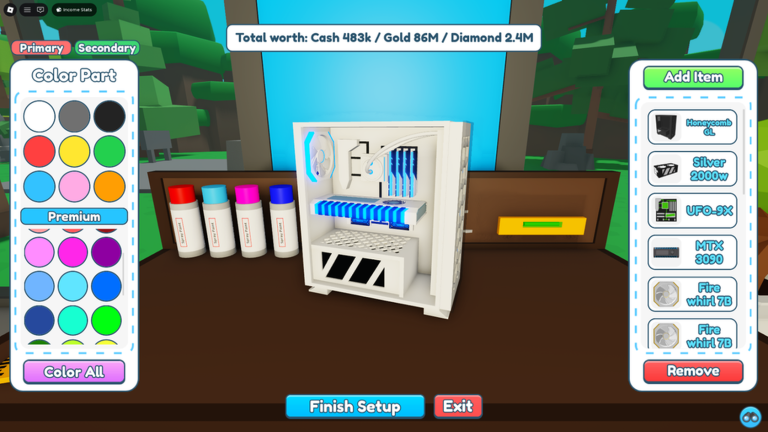
🖥️ Welcome to Custom PC Tycoon! 🛒 Buy parts for your PC, Desk and Server Setup! 💸 Earn more money, upgrade your parts and make even more money! 🖌️ Make the best setups with custom colors and show off! 📅 Change-Logs: - ⚙️ New Steampunk Server Set! - 💻 New Desk Set! - 💰 New PC Set! (Found in the electronics store, as it's a cash set) - ⚡ 2 New Codes! - 🐛 Bug Fixes & Minor Tweaks! ⭐ Premiu
There are 5 working Custom PC Tycoon codes right now and 21 that have expired. The most recent one, Supportive, was added August 27, 2026.
Codes in Custom PC Tycoon stop working over time. We re-check this list rather than letting dead ones pile up, so everything in the working table below was confirmed on August 27, 2026 — and anything that has since stopped is moved down to the expired list instead of being deleted, so you can tell “already used” apart from “never valid”.
Codes are case-sensitive in most Roblox games, so paste rather than retype where you can. If a code from the working list below fails, check the expired list further down before assuming you mistyped it.
Active Codes
Copy any code below and redeem it in-game. Everything here was confirmed on August 27, 2026.
SupportiveReward
the Nightcore Case
NewUpdateReward
is working again Jul 31, 2026
LunarReward
a 3000W Tiger PSU
LikePowerReward
is working again Jul 31, 2026
FirstMilestoneReward
is working again Jul 31, 2026
No Longer Working
These 21 codes worked in the past but no longer do. We keep them listed so you can check whether one you found elsewhere is simply dead rather than mistyped.
Custom PC Tycoon codes are short strings the developers hand out — usually to mark an update, a like or visit milestone, or a seasonal event. You redeem one in-game for a reward you would otherwise have to grind for. Each code works once per account, and most are switched off within days or weeks of release, which is why a list that is not re-checked goes stale fast.
New codes are announced by the developers first, usually on the game’s Discord and its Roblox group description, then picked up by code sites a few hours later. Following the source directly is the fastest route; this page is the slower but checked one — nothing appears above until it has been confirmed against two independent sources.
If a Custom PC Tycoon code you found elsewhere is not in the working list, check the 21 expired codes above before assuming you mistyped it — most “broken” codes are simply ones that have already been retired.
FAQ
There are 5 working Custom PC Tycoon codes as of August 27, 2026, plus 21 that have expired and are listed separately. Every code here was confirmed against two independent sources before it was published.
Open Custom PC Tycoon in Roblox, find the codes or promo section, usually in settings, the shop, or the main menu, paste in a code from this page and confirm.
Yes. Every Custom PC Tycoon code on this page is free - the developers issue them for updates, milestones and events.
Most likely it has already been retired. Codes are usually switched off within days or weeks of release, and code lists that are never re-checked keep showing them. Check the expired list on this page before assuming you mistyped it.
This page is re-checked on a schedule and was last confirmed on August 27, 2026. New codes go up once a second independent source confirms them.
Discover More
Explore related Roblox games with active promo codes.